Soft, Squishy Cube
This page explains how to add bone weights to the cube to make it soft and squishy.
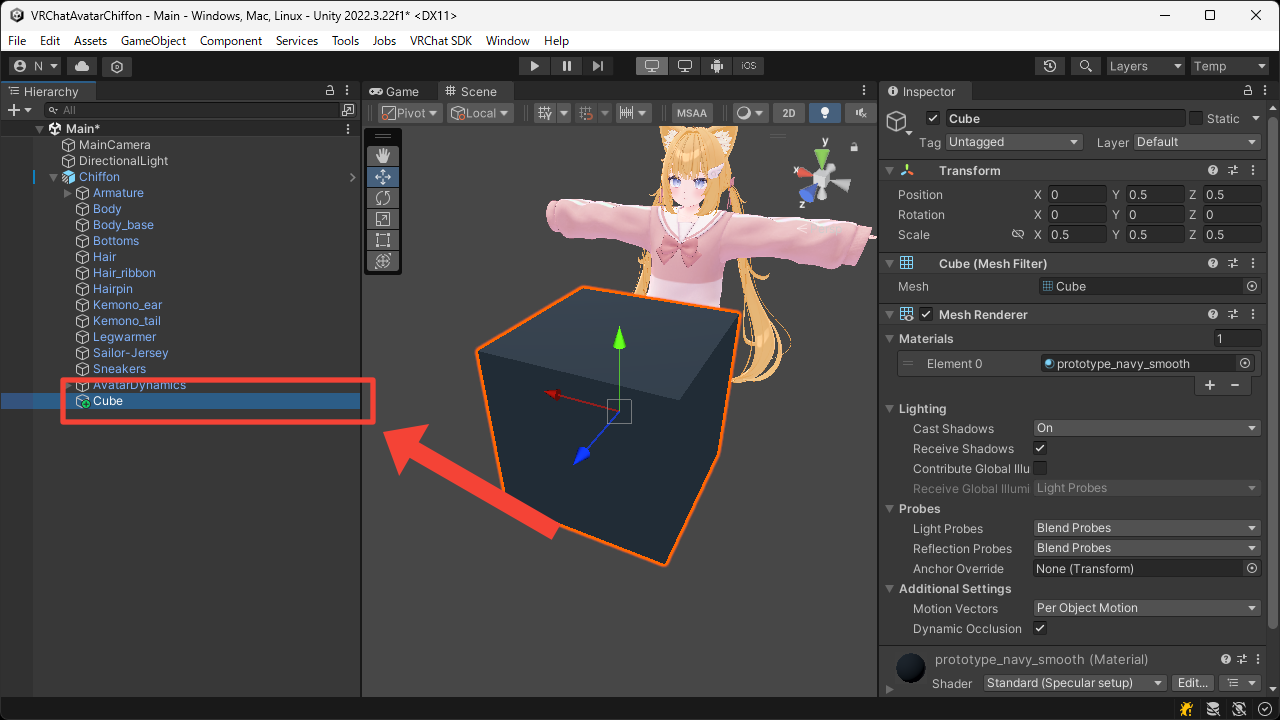
- Right-click the avatar root and create a cube from
3D Object > Cube.
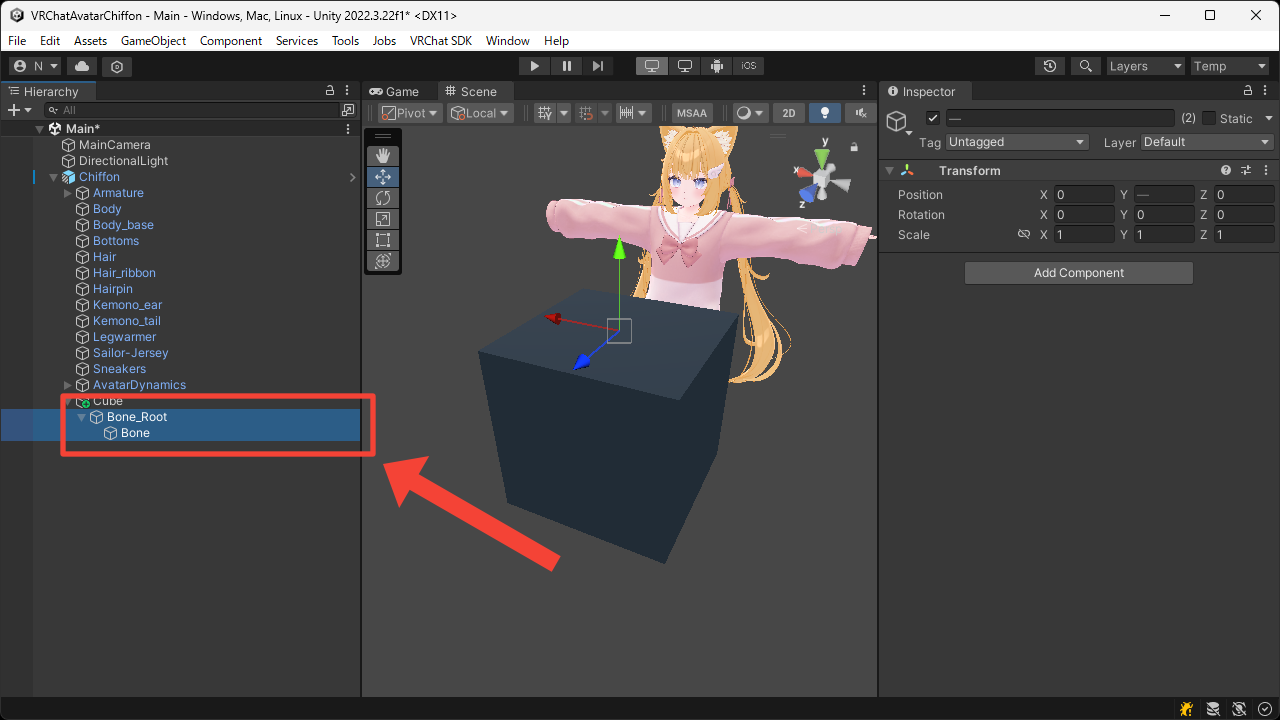
- Create nested empty Game Objects under the cube.
Place the parent Game Object inside the cube, and the child one at the top of the cube.
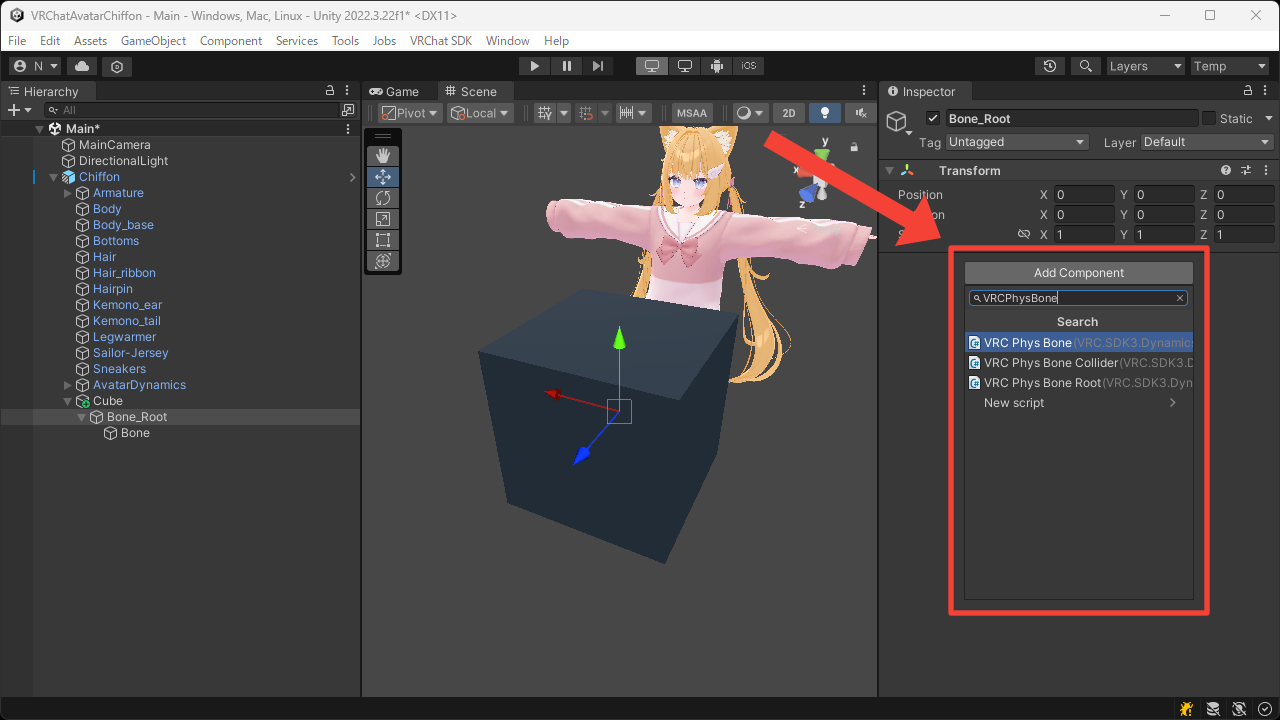
- Add the
VRC Phys Bonecomponent to the parent Game Object.
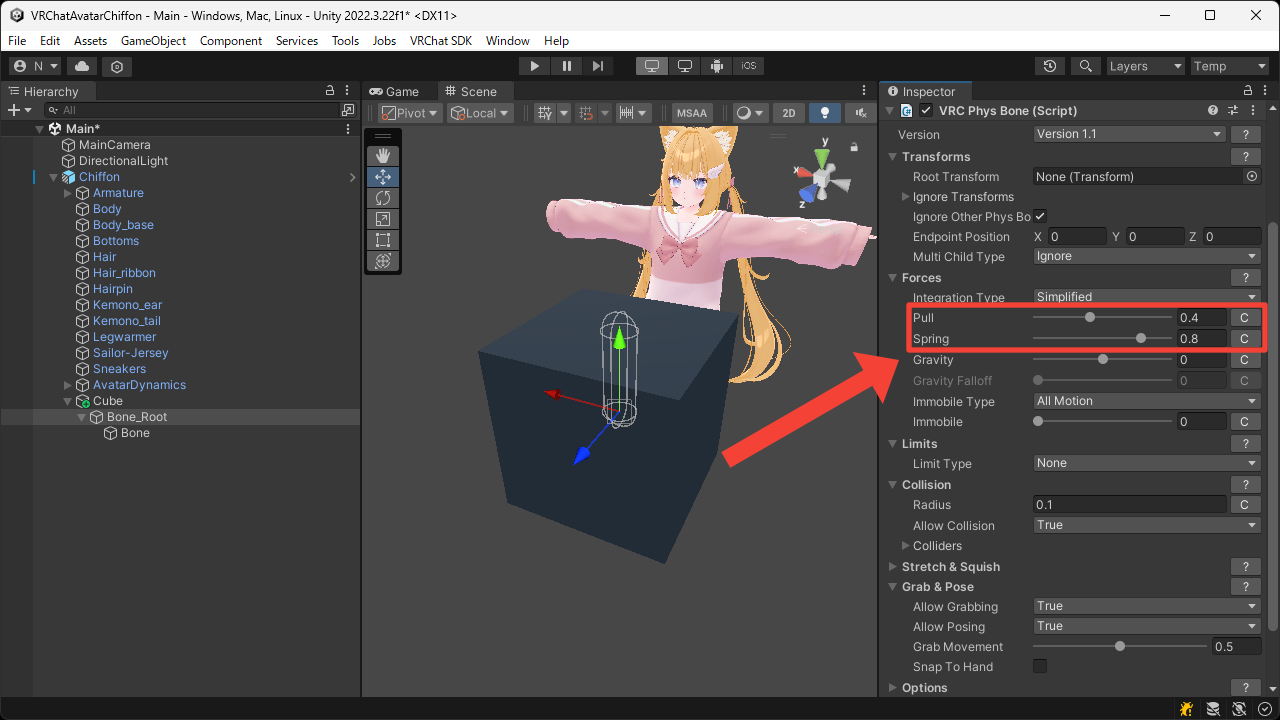
- Adjust settings such as
Forces > PullandForces > Springas you like.
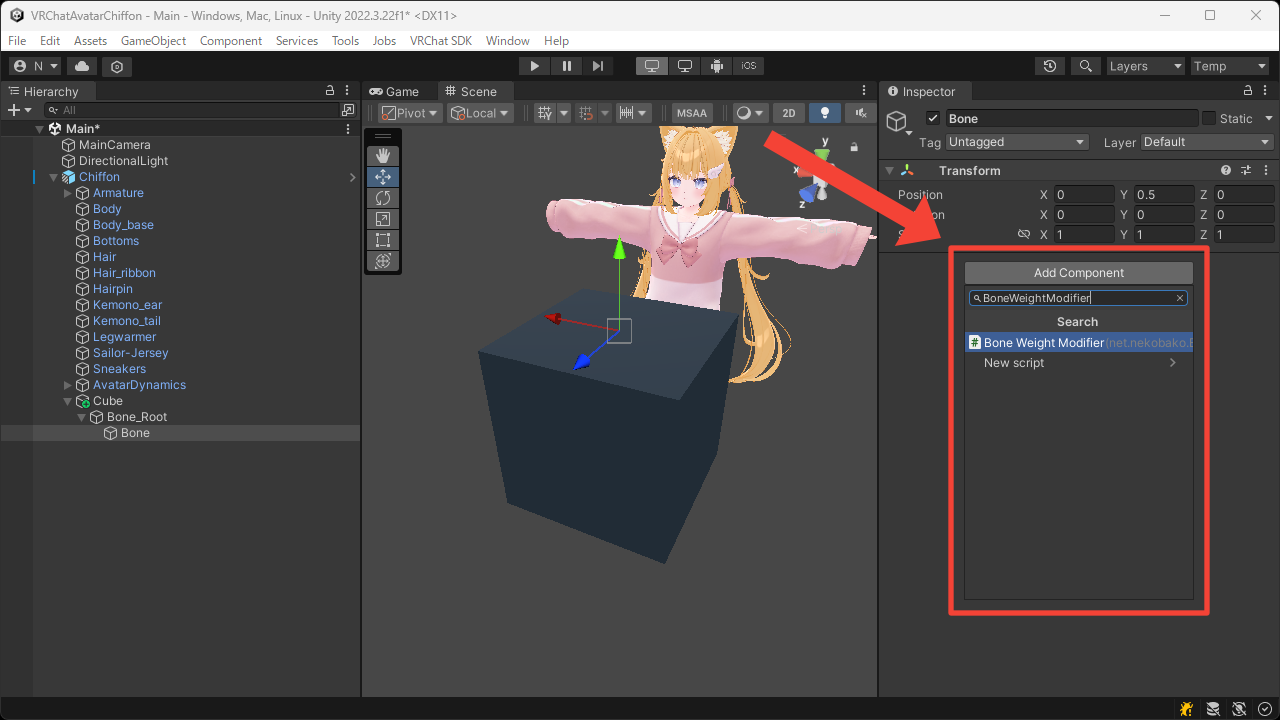
- Add the
Bone Weight Modifiercomponent to the child Game Object.
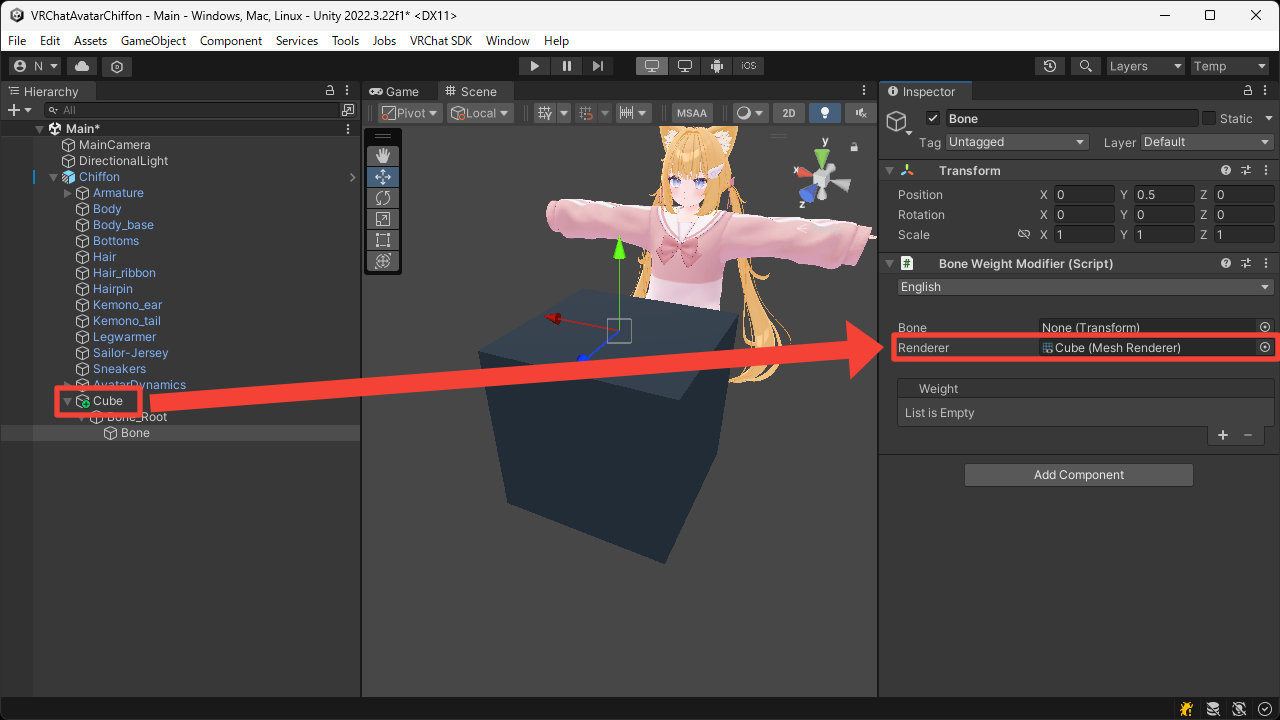
- Set the
Rendererto the cube'sMesh Renderer.
In this case, leave theBoneunset to apply the weight for this Game Object.
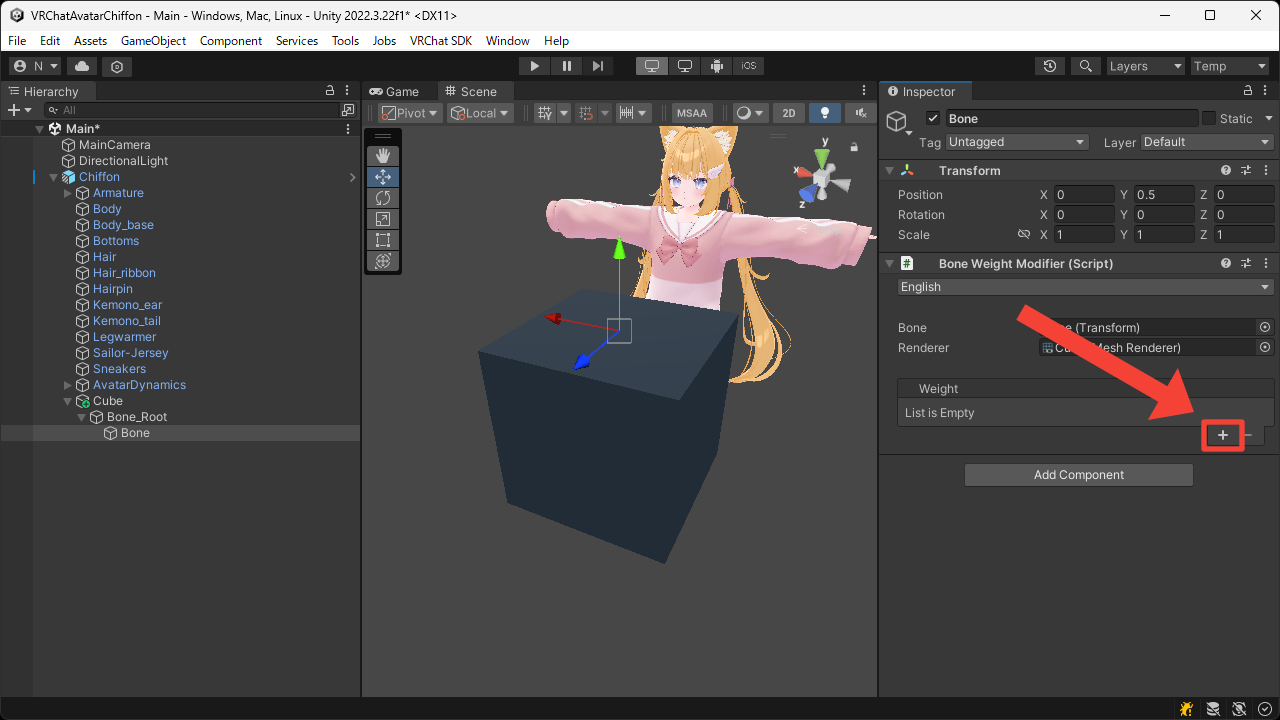
- Press the
+button to add fourVolumeweight.
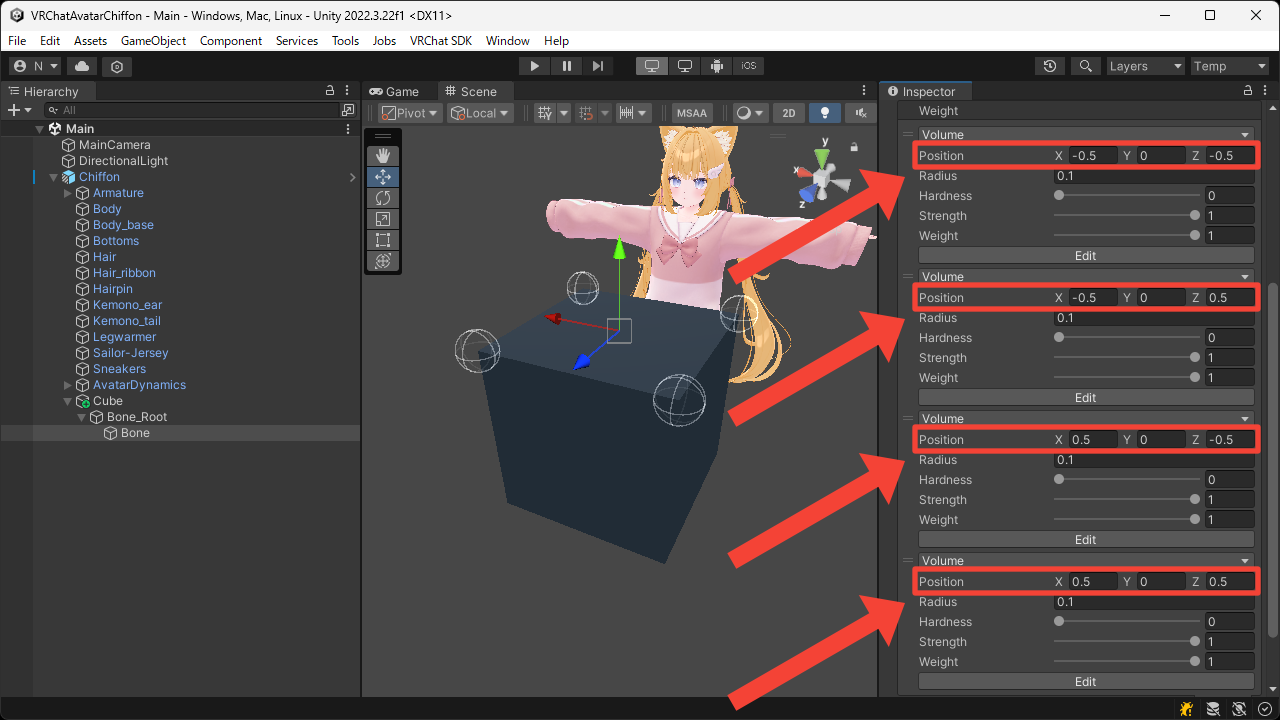
- Set the
Positionof each one so that they are located at the top corners of the cube.
- Enter Play Mode to confirm that the cube behaves in a soft, squishy way in the Game View.