Soft, Squishy Nose
This page explains how to add bone weights to the nose to make it soft and squishy.
- Create nested empty Game Objects under the avatar root.
Place the parent Game Object inside the face, and the child one at the tip of the nose.
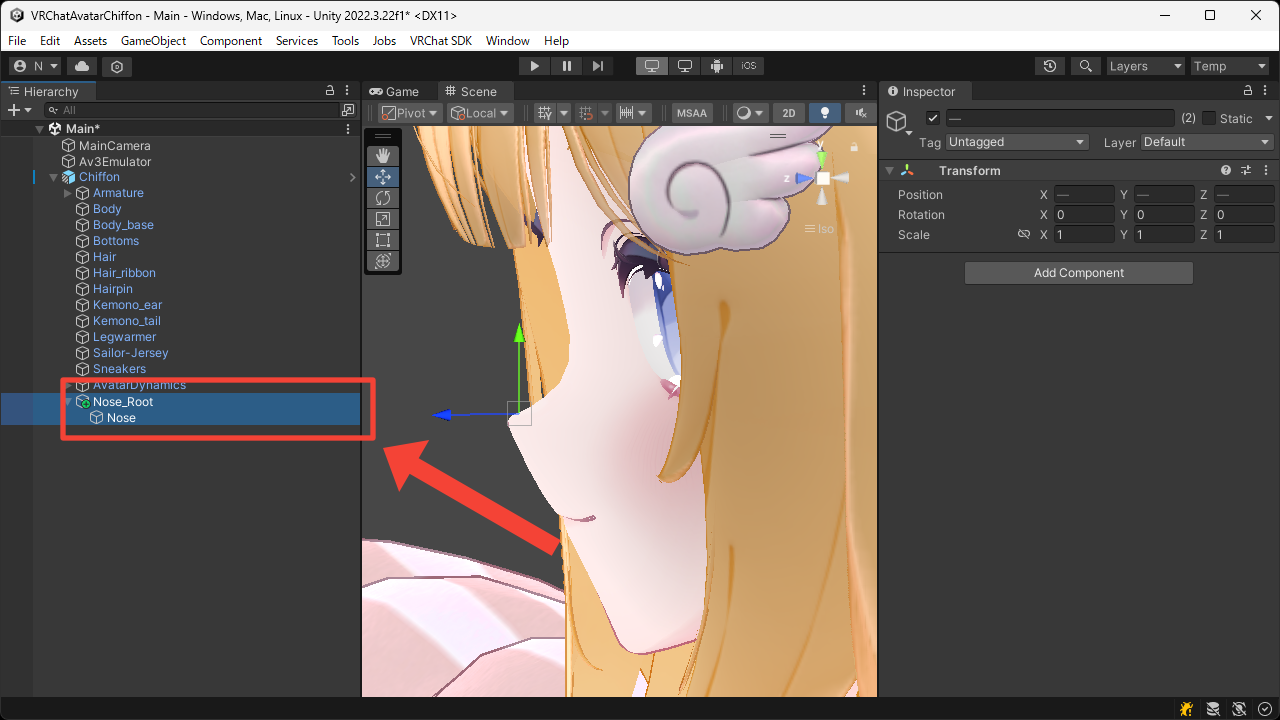
- Add the
VRC Phys Bonecomponent to the parent Game Object.
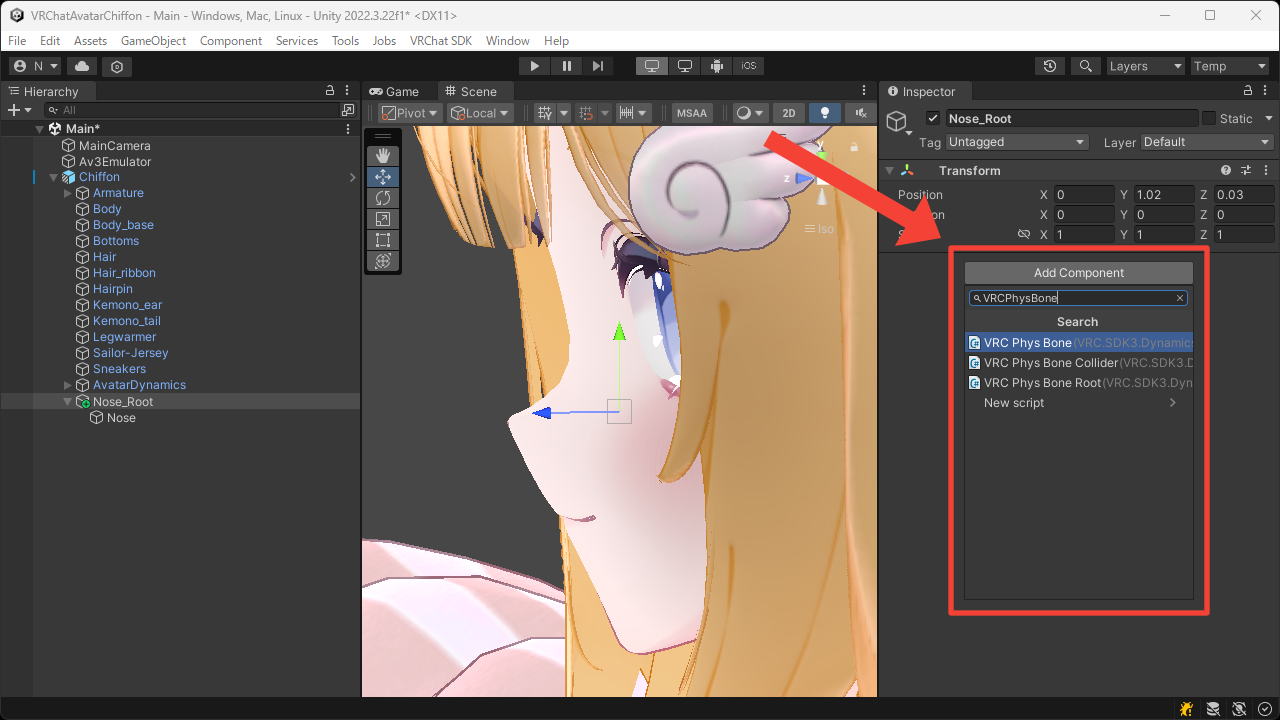
- Set an appropriate value for the
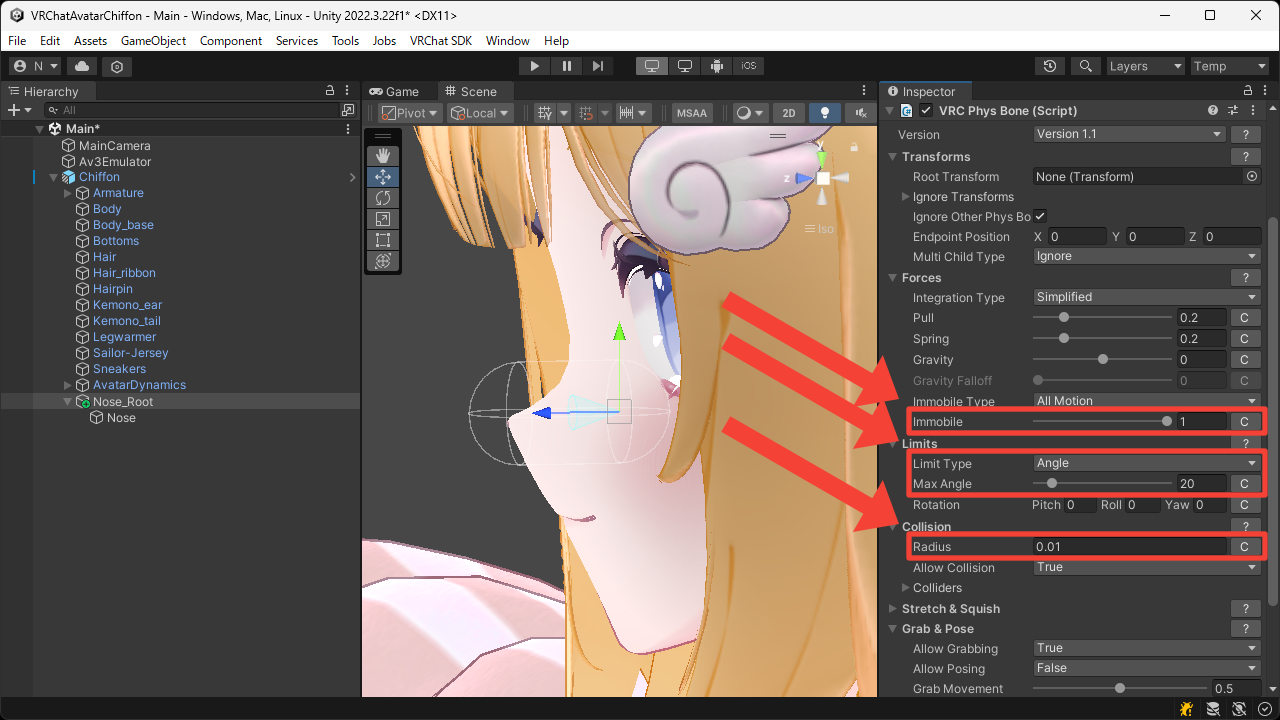
Collision > Radiusso it can be touched by hand, and set theForces > Immobileto1so that the avatar's movement does not affect it.
Also, to prevent it from bending too much when touched, set theLimits > Limit TypetoAngleand set an appropriate value for theLimits > Max Angle.
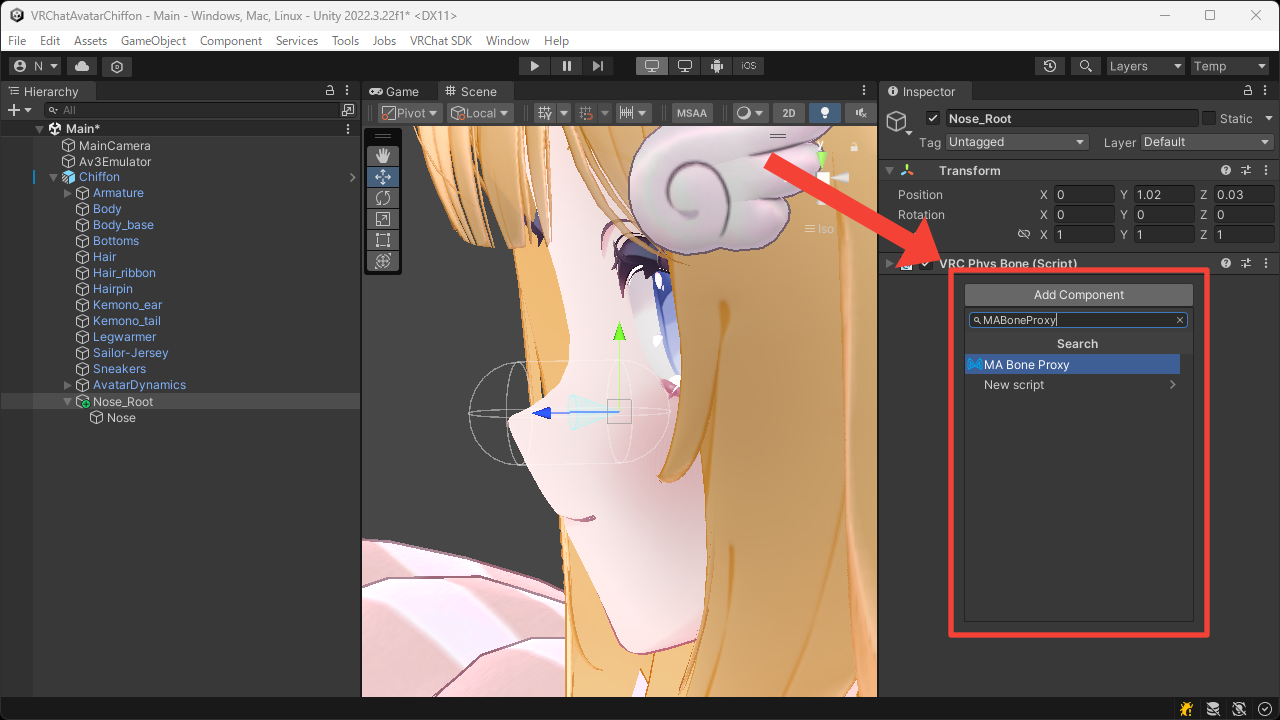
- Add the
MA Bone Proxycomponent to the parent Game Object.
- Set the
Targetto theHeadbone, and set theAttachment modetoAs child; keep position and rotationso that it moves under theHeadbone while preserving its transform.
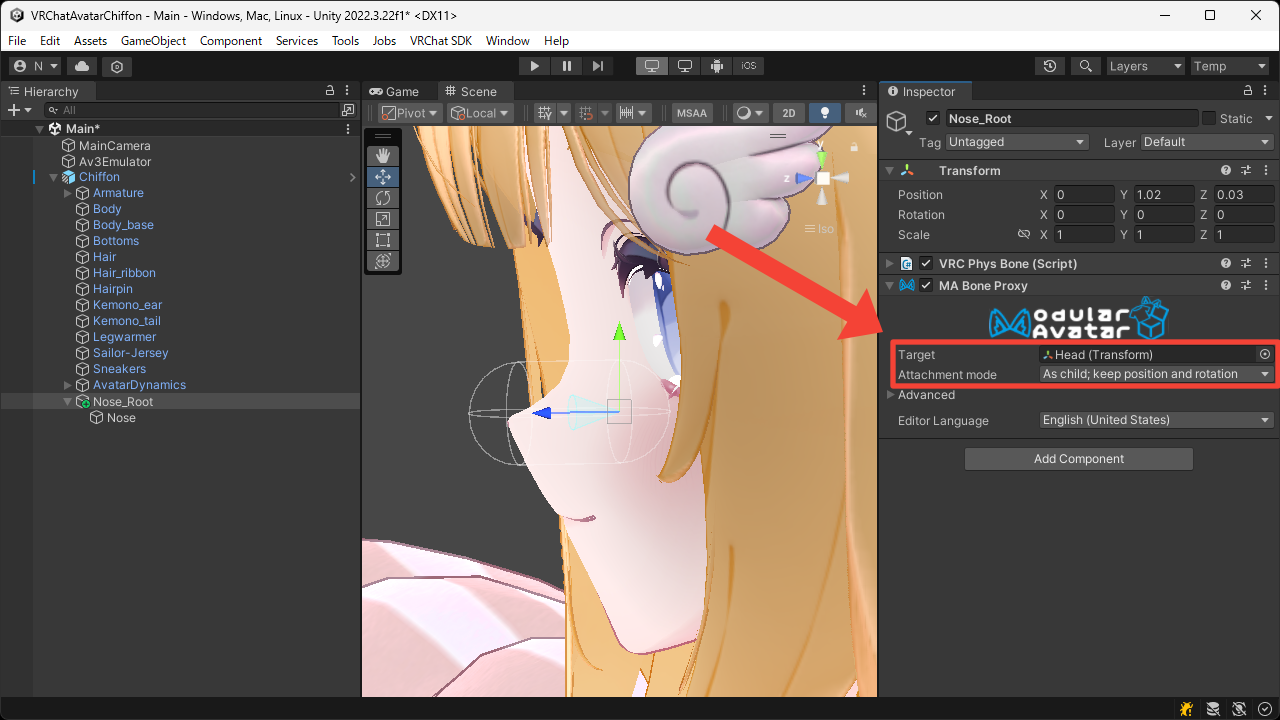
- Add the
Bone Weight Modifiercomponent to the child Game Object.
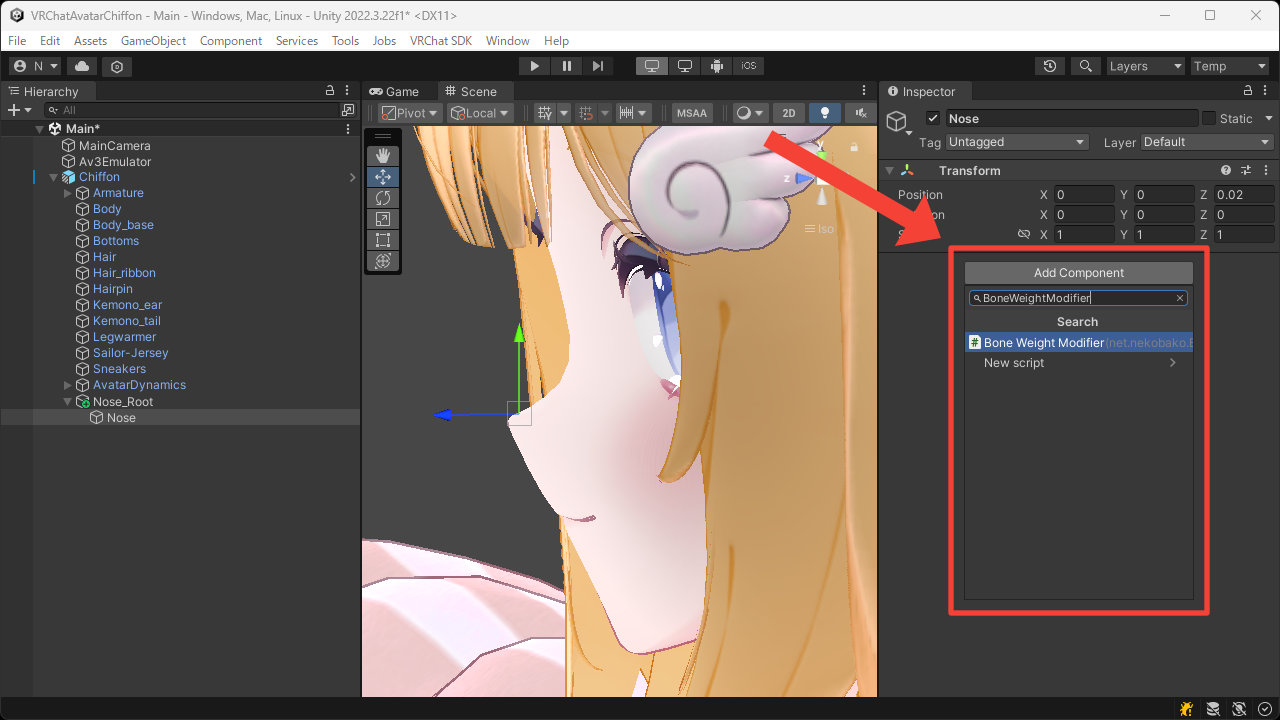
- Set the
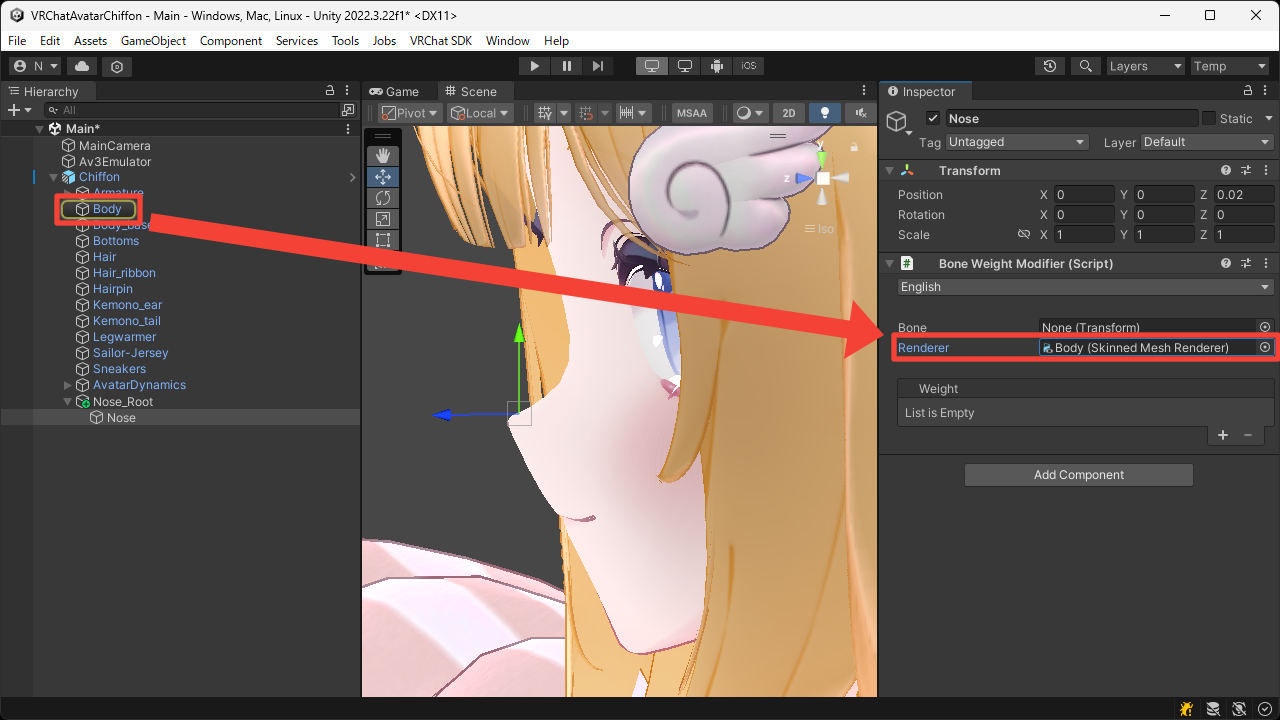
Rendererto the face'sSkinned Mesh Renderer.
In this case, leave theBoneunset to apply the weight for this Game Object.
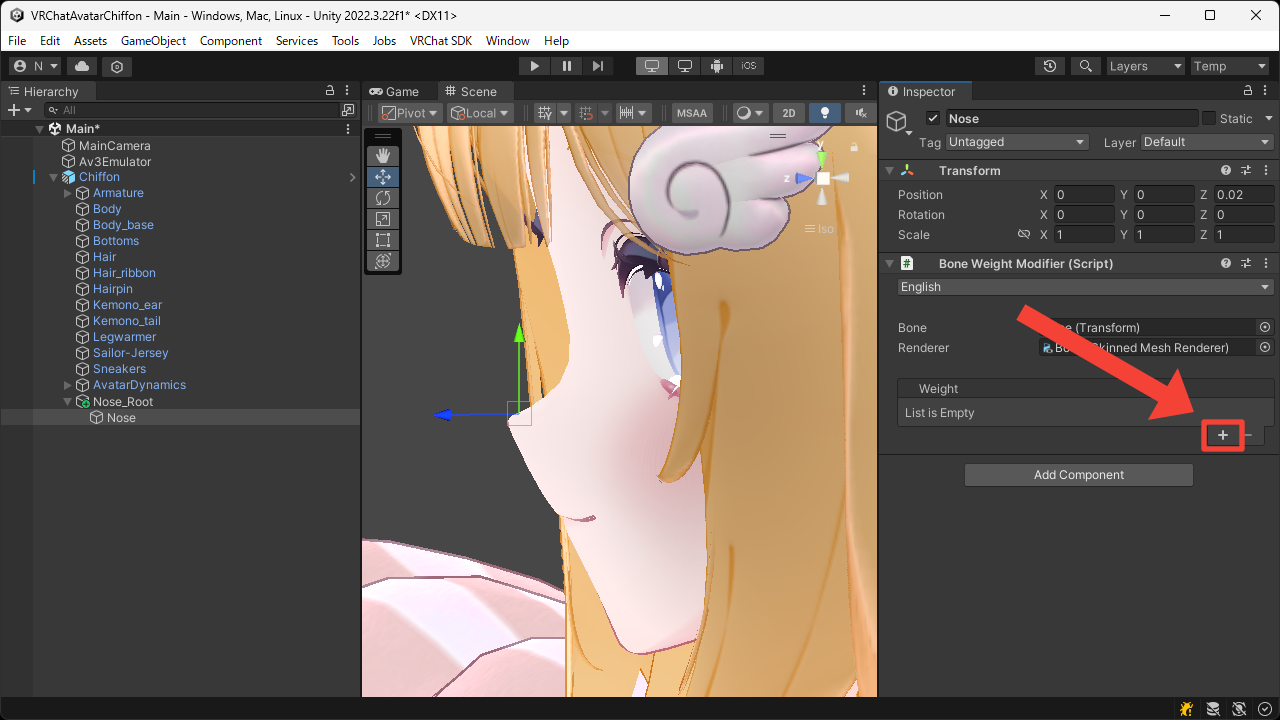
- Press the
+button to add theVolumeweight.
- Set the
Radiusso that it covers the area around the nose.
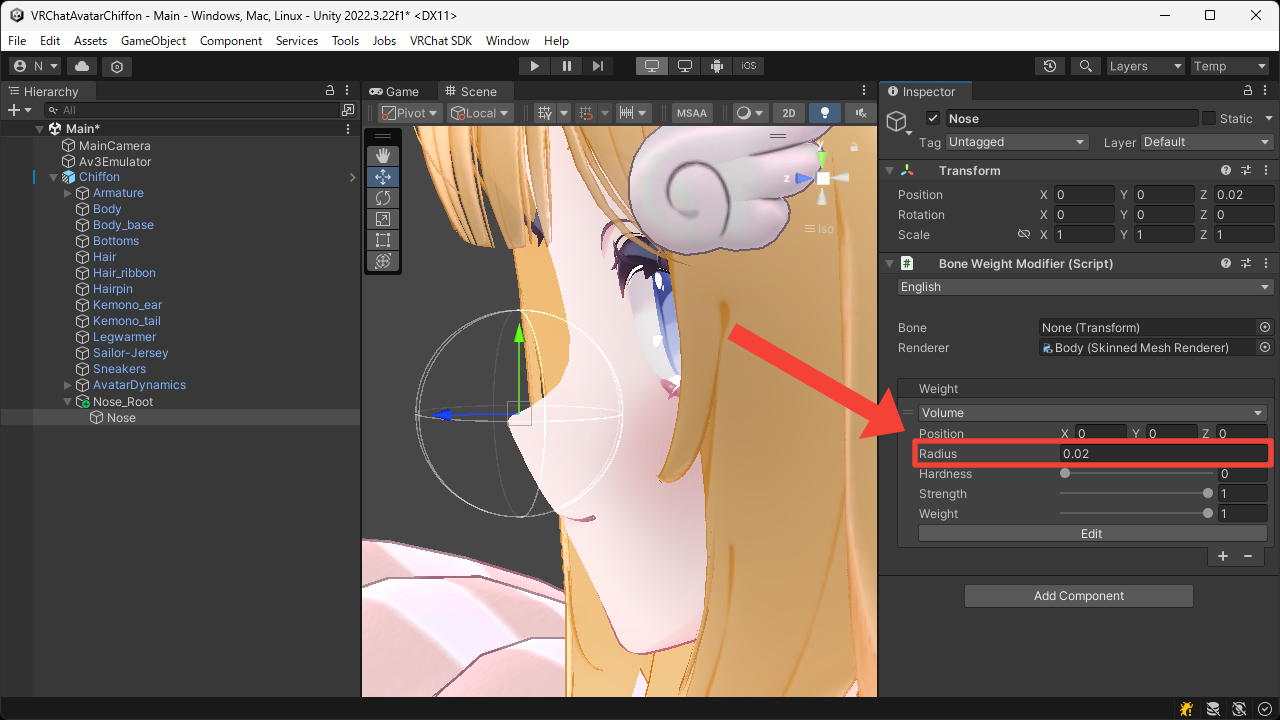
- Enter Play Mode to confirm that the nose behaves in a soft, squishy way in the Game View.