Separate Accessories
This page explains how to separate the hairpin that is part of the hair mesh, allowing it to be moved independently.
- Create an empty Game Objects under the avatar root.
This Game Object will later become the bone for the hairpin, so place it at the position of the hairpin.
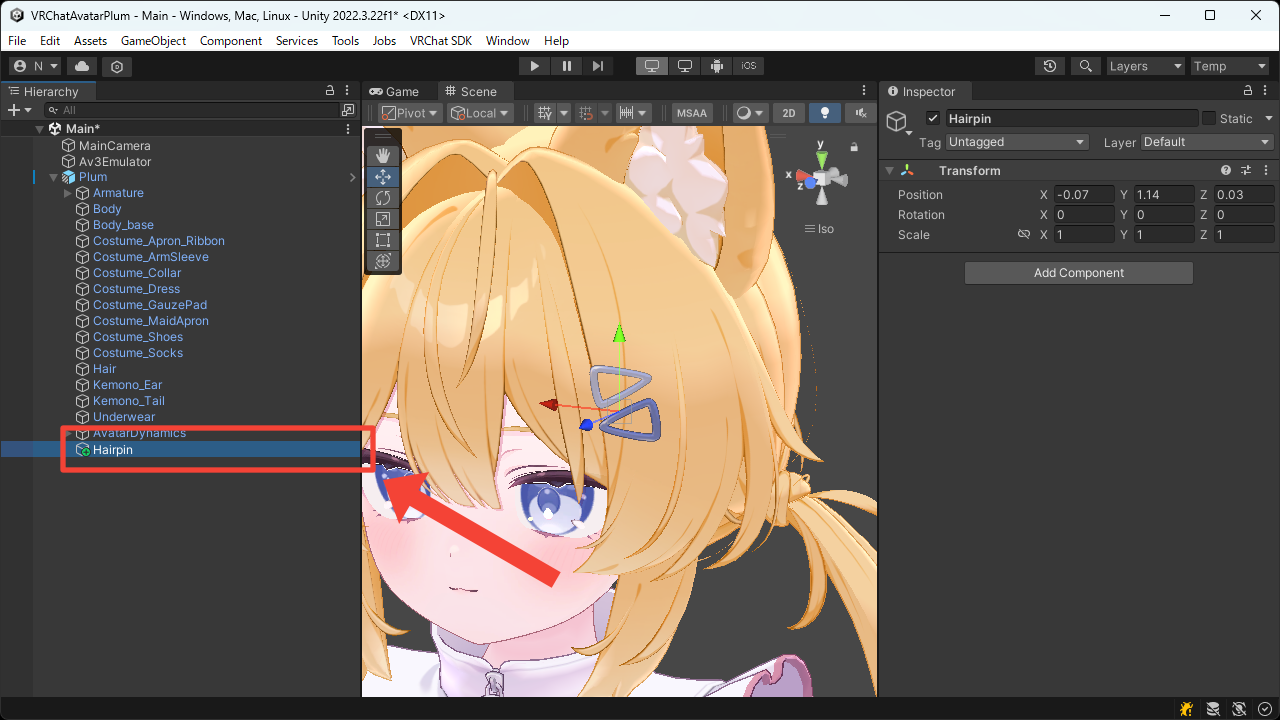
- Add the
MA Bone Proxycomponent.
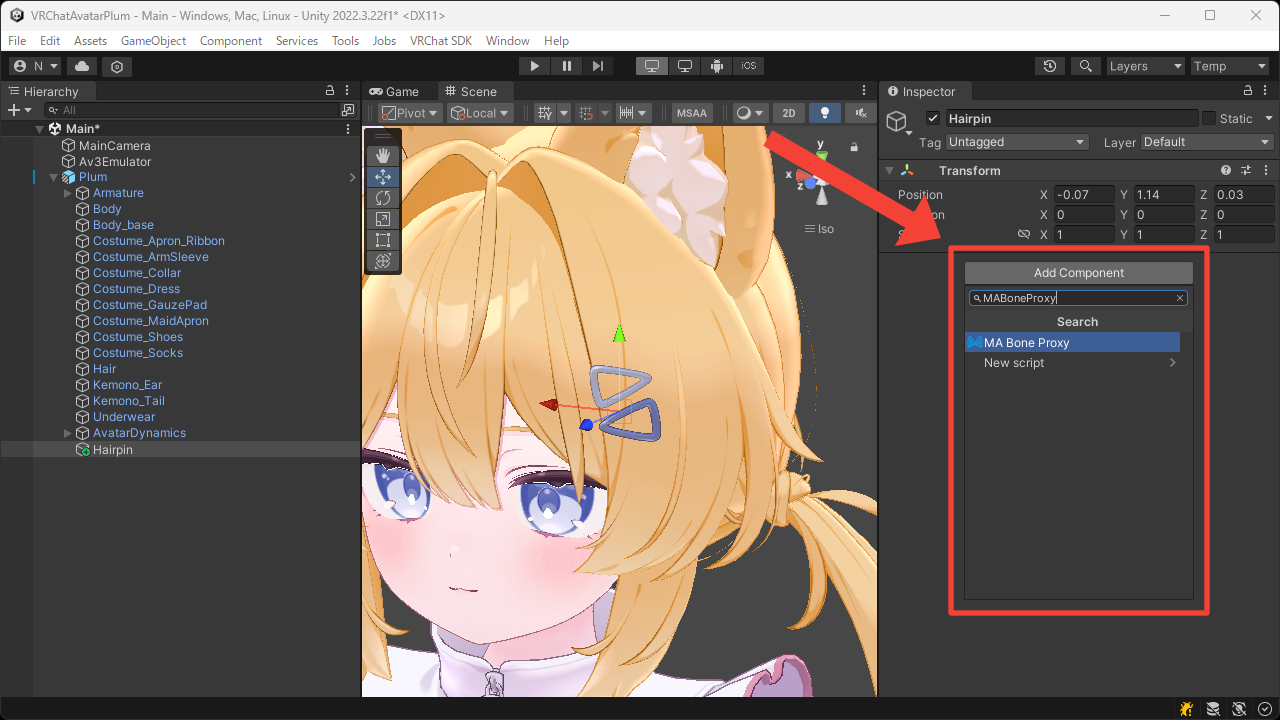
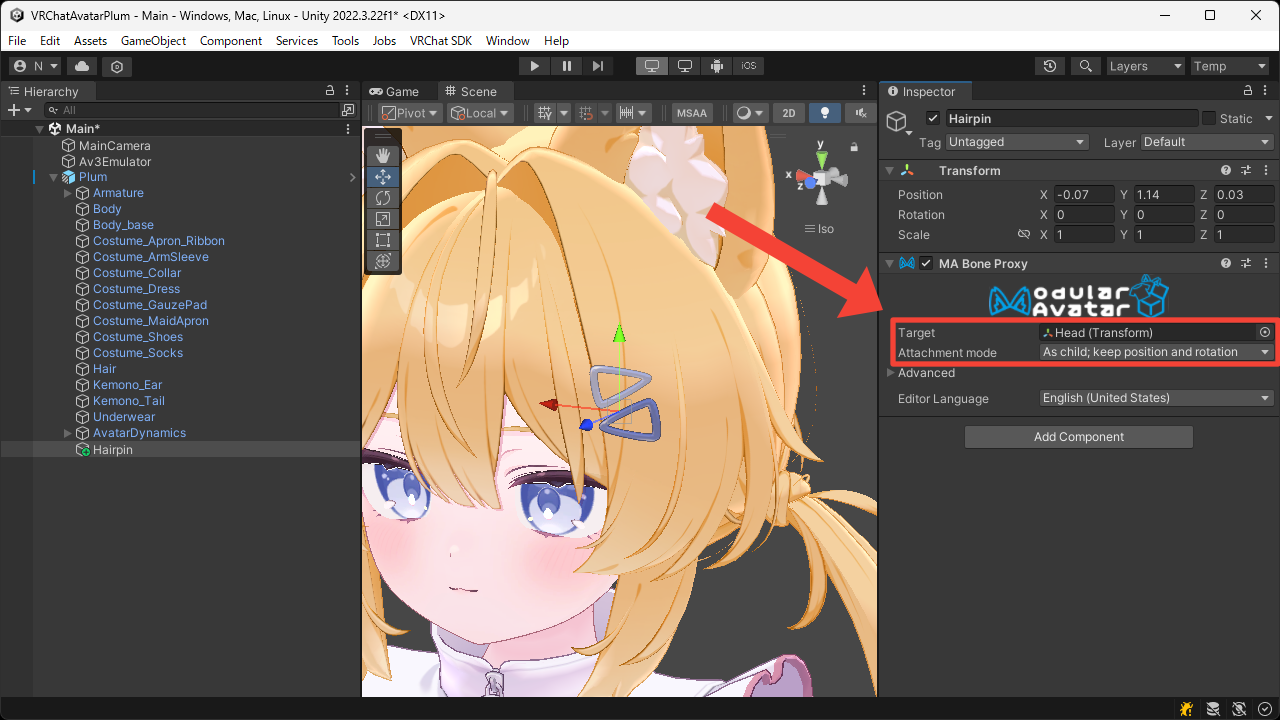
- Set the
Targetto theHeadbone, and set theAttachment modetoAs child; keep position and rotationso that it moves under theHeadbone while preserving its transform.
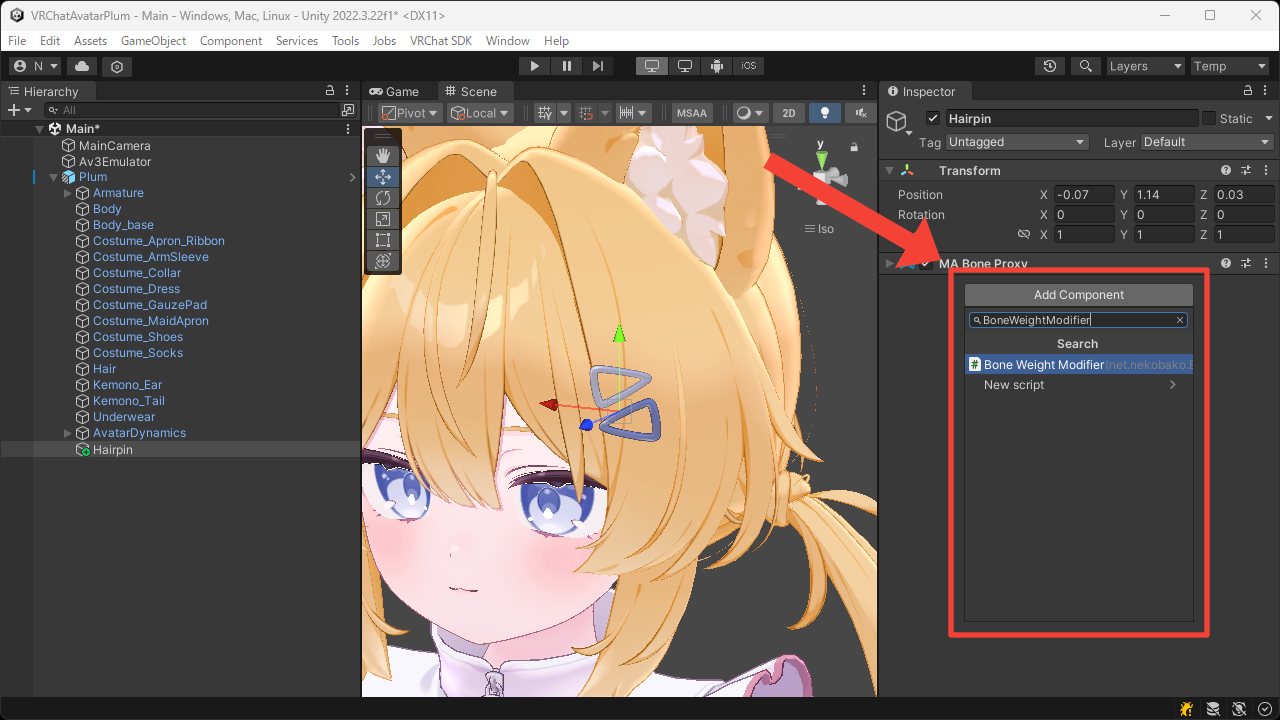
- Add two
Bone Weight Modifiercomponents.
The first is used to remove the existing bone weights, and the second is used to assign new ones.
- Set the first
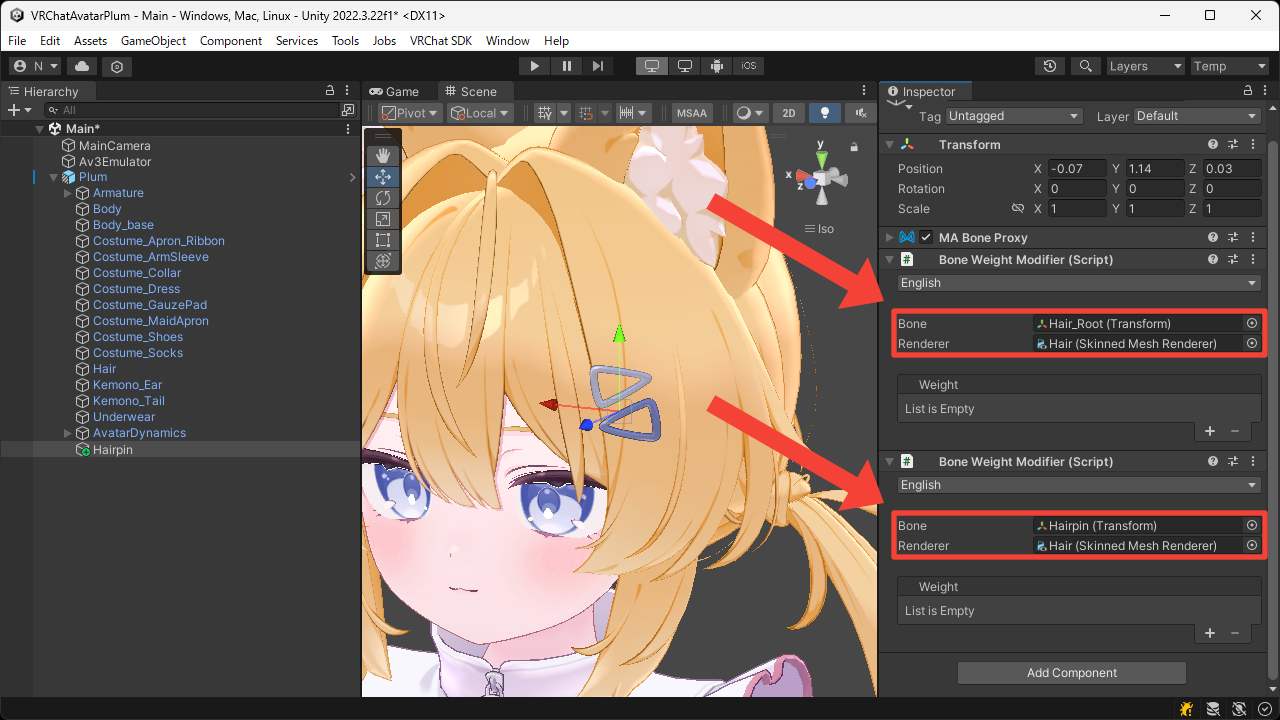
Boneto the bone with existing weights, and set the secondBoneto this Game Object.
Also, set the bothRendererto the hair'sSkinned Mesh Renderer.
- Press the
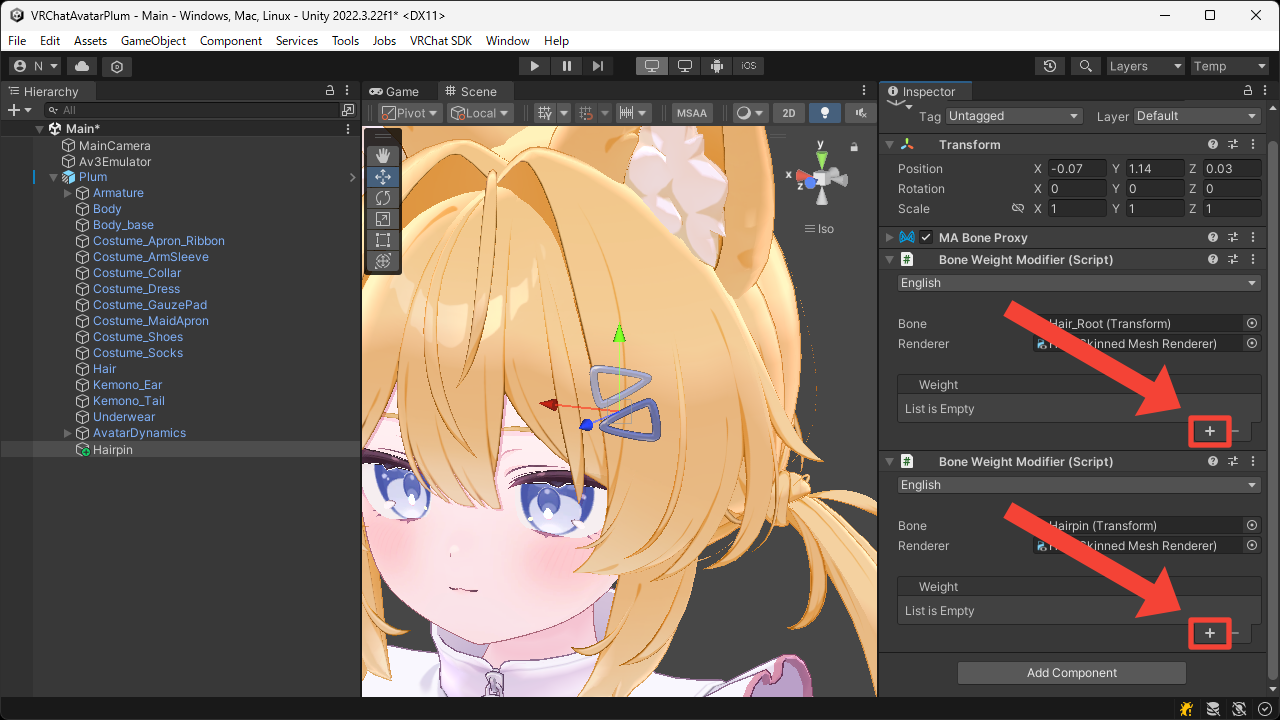
+button to add theMaskweights.
- Set the both
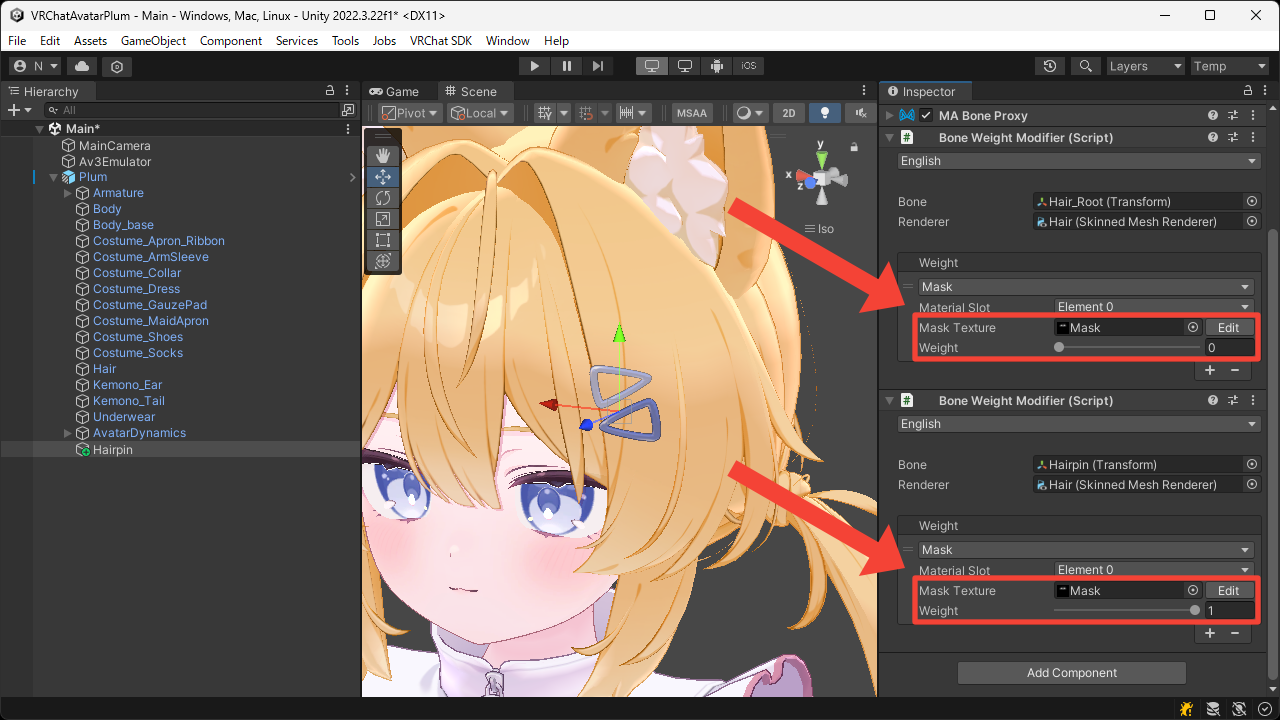
Mask Textureto the texture with only the hairpin area painted white.
Also, set the firstWeightto0and the secondWeightto1.
- Add the
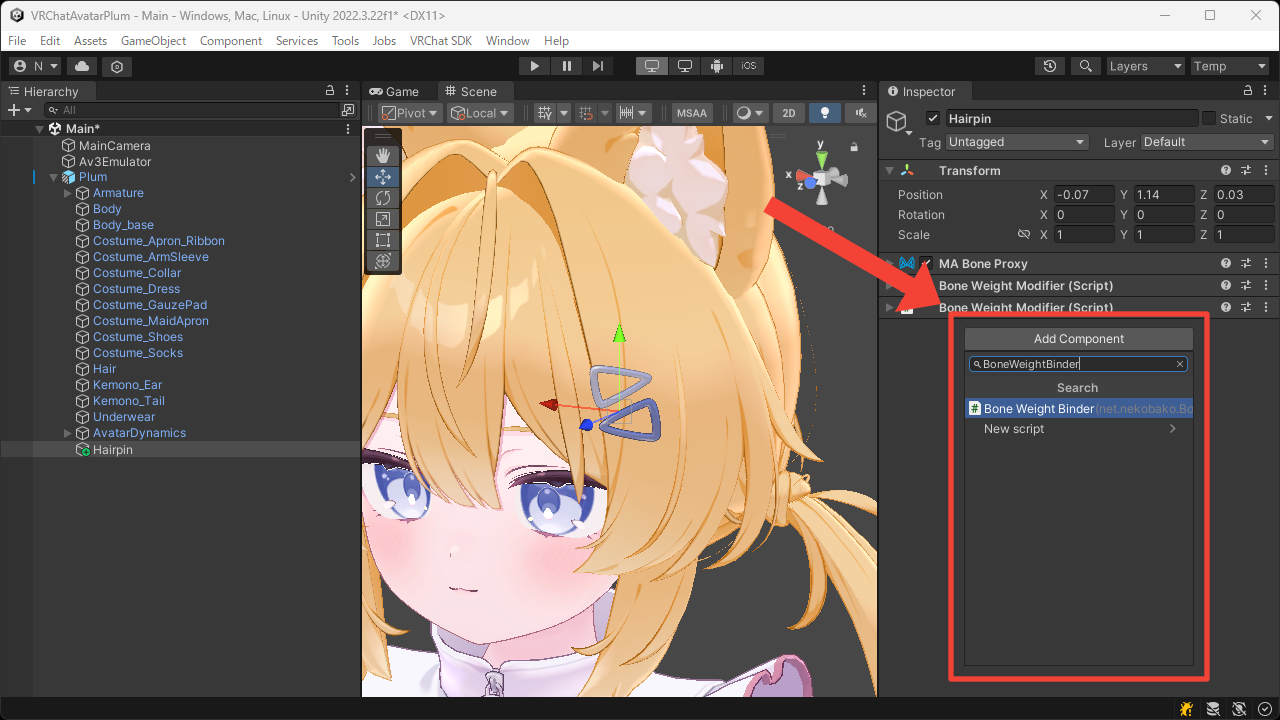
Bone Weight Bindercomponent.
- Press the
Bind Bonebutton.
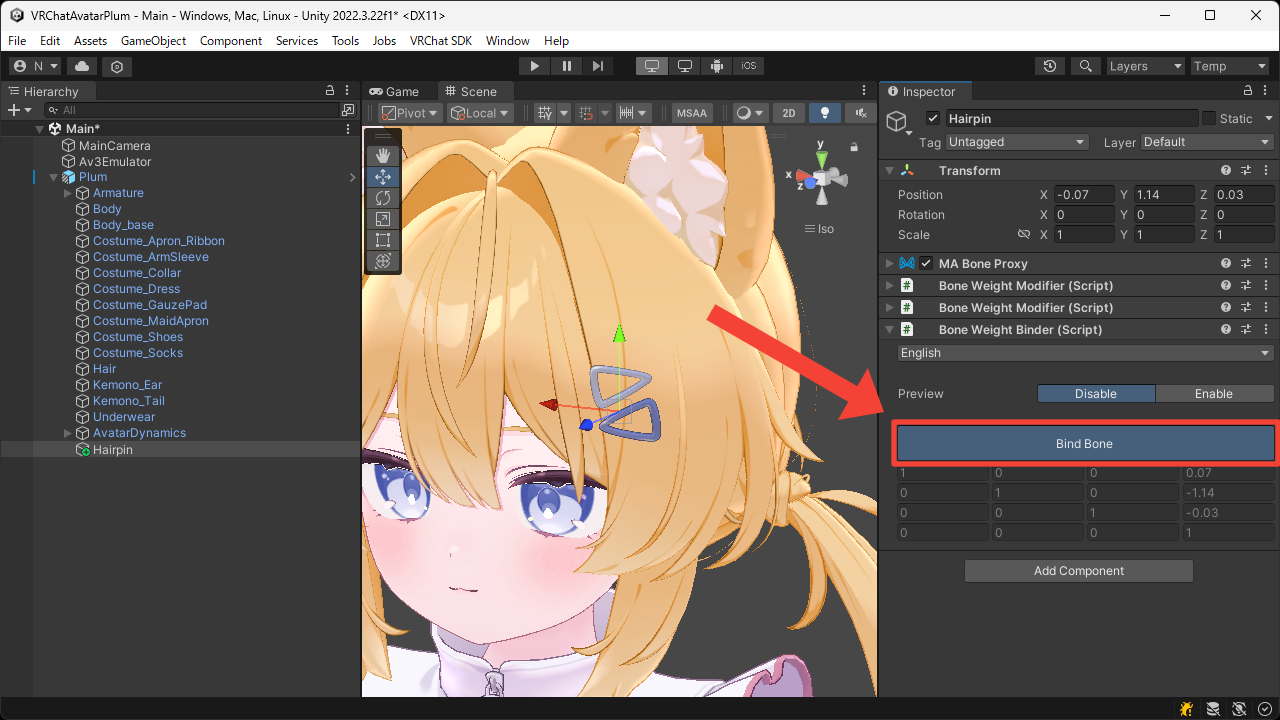
- Switch
PreviewtoEnableand move the bone to confirm that the hairpin part has been separated from the hair mesh.