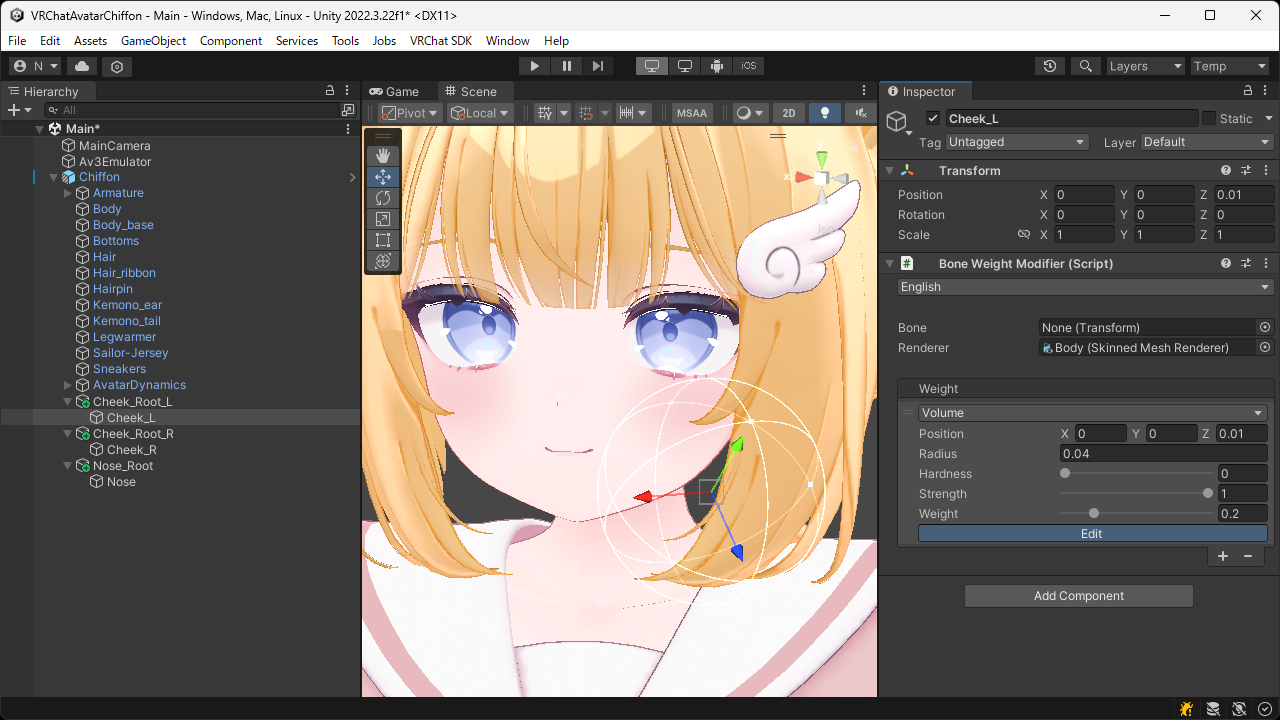
Volume Weight
Applies bone weights using position and radius.
By setting hardness and strength, you can smoothly attenuate the influence near the boundary and adjust the blending rate with existing weights.
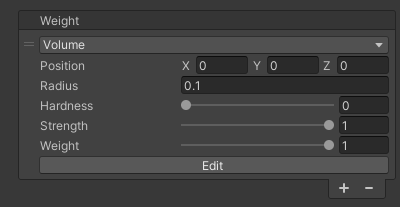
| Item | Description |
|---|---|
| Position | Sets the position of the range where the weights to be applied. |
| Radius | Sets the radius of the range where the weights to be applied. |
| Hardness | Sets the attenuation rate of the weights from the center. Smaller values increase the attenuation, while larger values decrease it. |
| Strength | Sets the blending rate with existing weights. Smaller values preserve the existing weights strongly, while larger values reflect this weights strongly. |
| Weight | Sets the value of the weight (influence of the bone) to be applied. |
TIP
By pressing the Edit button, you can adjust the position and radius directly in the Scene View.